Online Screenplay Editor
A full-featured screenplay editor that lives in your browser. Write on any device, auto-saved to the cloud, and always exactly where you left off.
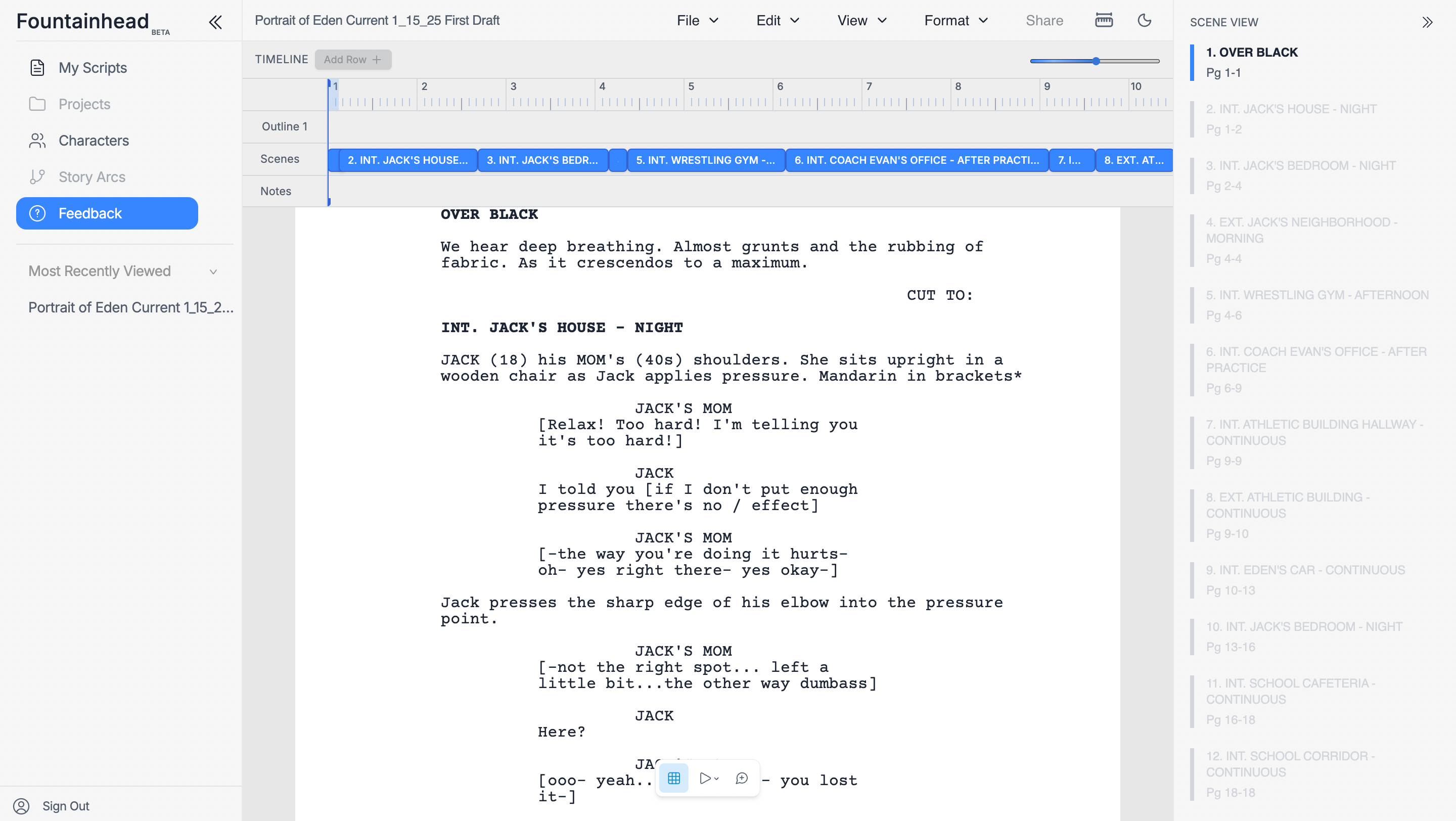
Write anywhere. Access everything.
Your scripts live in the cloud — always backed up, always in sync, always ready when you are.
Works in Any Browser
Chrome, Firefox, Safari, Edge — no plugins, no extensions. If you have a browser, you have a screenplay editor.
Real-Time Auto-Save
Every keystroke is saved instantly to the cloud. Close the tab, shut the laptop — your work is always there.
Real-Time Collaboration
Invite co-writers to edit the same script simultaneously. See each other's changes as they happen, live.
Access on Any Device
Start writing on your laptop, continue on your desktop, review on your tablet. One account, every device.
Frequently Asked Questions
Do I need to download or install anything?
Nope! The editor runs entirely in your browser. Visit the site, sign up for free, and start writing immediately.
Which browsers are supported?
All modern browsers are supported, including Chrome, Firefox, Safari, and Edge on Mac, Windows, and most tablets.
Can I collaborate with other writers in real time?
Yes. Real-time collaboration is built in: share a link and multiple writers can edit the same script simultaneously.
Does it work offline?
The editor requires an internet connection for cloud sync and collaboration. We recommend a stable connection for the best experience.
Are my scripts automatically backed up?
Yes. Every change is saved and versioned in the cloud automatically. You can always access your latest script from any browser.